
Docker Deployment Best Practices for Production Environments in 2026
By 2026, Docker has evolved from a "cool way to package apps" to the bedrock of modern server infrastructure. However, moving from a local docker-compose up to a stable, secure production environment requires a shift in mindset.surrounding it.
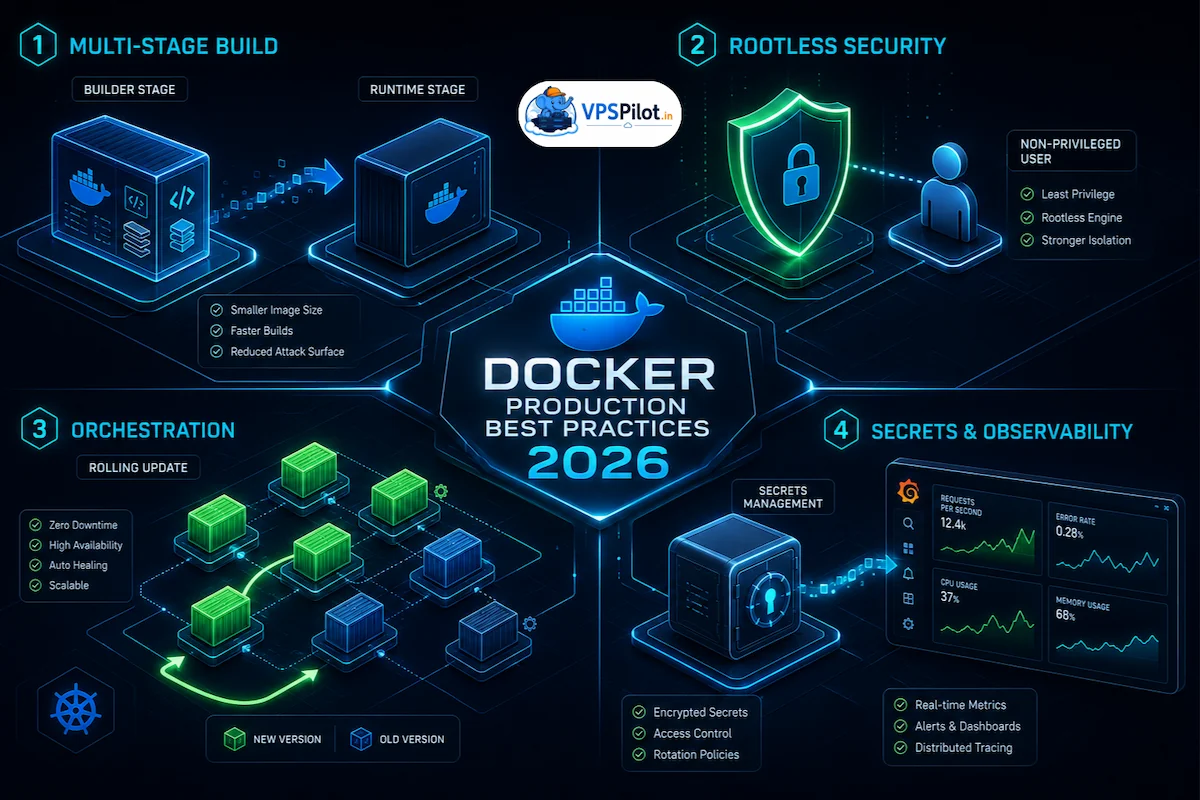
By 2026, Docker has evolved from a “cool way to package apps” to the bedrock of modern server infrastructure. However, moving from a local docker-compose up to a stable, secure production environment requires a shift in mindset. A production-ready Docker deployment isn’t just about the container—it’s about the orchestration, security, and lifecycle management surrounding it.
Here are the essential best practices for deploying Docker in production this year.
Essential Best Practices for Production Docker
1. Implement Multi-Stage Builds
One of the most common production mistakes is bloating your images with build tools, source code, and unneeded dependencies.
Multi-stage builds allow you to use a temporary “builder” image for compiling your code, then copy only the necessary binary or artifact into a tiny, secure “runtime” image (like Alpine or Distroless).
- Benefit: Significantly reduces the attack surface and minimizes image pull times.
- Best Practice: Always pin your images to a specific version (e.g.,
node:22.3-slim) rather thanlatestto ensure build reproducibility.
2. Shift Toward Rootless Mode
For years, Docker containers ran as root by default, creating a massive security risk if a container was compromised. In 2026, Rootless mode is no longer optional for high-security environments.
- Execution: Configure the Docker daemon to run as a non-privileged user. If a hacker manages to break out of a rootless container, they still lack the permissions to manipulate the host kernel.
- Dockerfile Tip: Explicitly define a non-privileged user in your Dockerfile:
RUN addgroup -S appgroup && adduser -S appuser -G appgroup
USER appuser
3. Orchestration and Self-Healing
While docker-compose is fantastic for development, it lacks the self-healing and scaling capabilities required for production. By 2026, most production environments have standardized on Docker Swarm (for simplicity) or Kubernetes (for complex scaling).
- Self-Healing: Ensure your orchestrator is configured to monitor container health via
HEALTHCHECKinstructions. If a process hangs or a deadlock occurs, the orchestrator should automatically kill and recreate the container. - Zero-Downtime: Use rolling updates to ensure that new versions of your application are deployed incrementally, preventing service interruption during updates.
4. Externalize Secrets and Configuration
Never, under any circumstances, bake secrets (API keys, database passwords) into your image.
- The Modern Approach: Use a dedicated Secret Management system. Whether it is Docker Secrets, HashiCorp Vault, or cloud-native providers (AWS Secrets Manager), your container should inject configuration at runtime via environment variables or mounted volumes.
- Pro Tip: Use
.envfiles locally, but strictly use orchestrated secret injection in production.
5. Strategic Resource Limiting
A “runaway” container that consumes 100% of the host’s CPU or RAM can take down every other service on your server.
- Hard Limits: Always define
--memoryand--cpusconstraints in your deployment configuration. - Why: This ensures that your container operates within an expected resource footprint and prevents “noisy neighbor” issues in multi-tenant or shared-service environments.
6. Comprehensive Observability
In a containerized world, you cannot “log in and check the status.” You need a centralized observability stack:
- Logging: Ship logs to a central aggregator (like ELK, Grafana Loki, or Graylog). Containers are ephemeral; if the host crashes, your logs go with it unless they are shipped off-box.
- Metrics: Monitor container-level metrics (CPU, memory, network I/O) using Prometheus and visualize them with Grafana.
Conclusion
Running Docker in production is less about the command docker run and more about the discipline of your CI/CD pipeline and the reliability of your orchestration layer. By treating your containers as immutable, non-privileged, and resource-constrained entities, you create a robust environment capable of scaling gracefully throughout 2026 and beyond.